A warning light just came on. Can you keep driving?
Take a photo of the light and VehicleSense tells you what it means and whether it's safe to drive, in plain English, in seconds.
Try it as a guest, no account required. Informational guidance, not a substitute for a professional inspection.
From anxious to answered in three steps
No menus to learn, no jargon to decode. Just point, shoot and read.
- 01
Snap the light
Point your phone at the lit dashboard symbol and take a picture.
- 02
Get your verdict
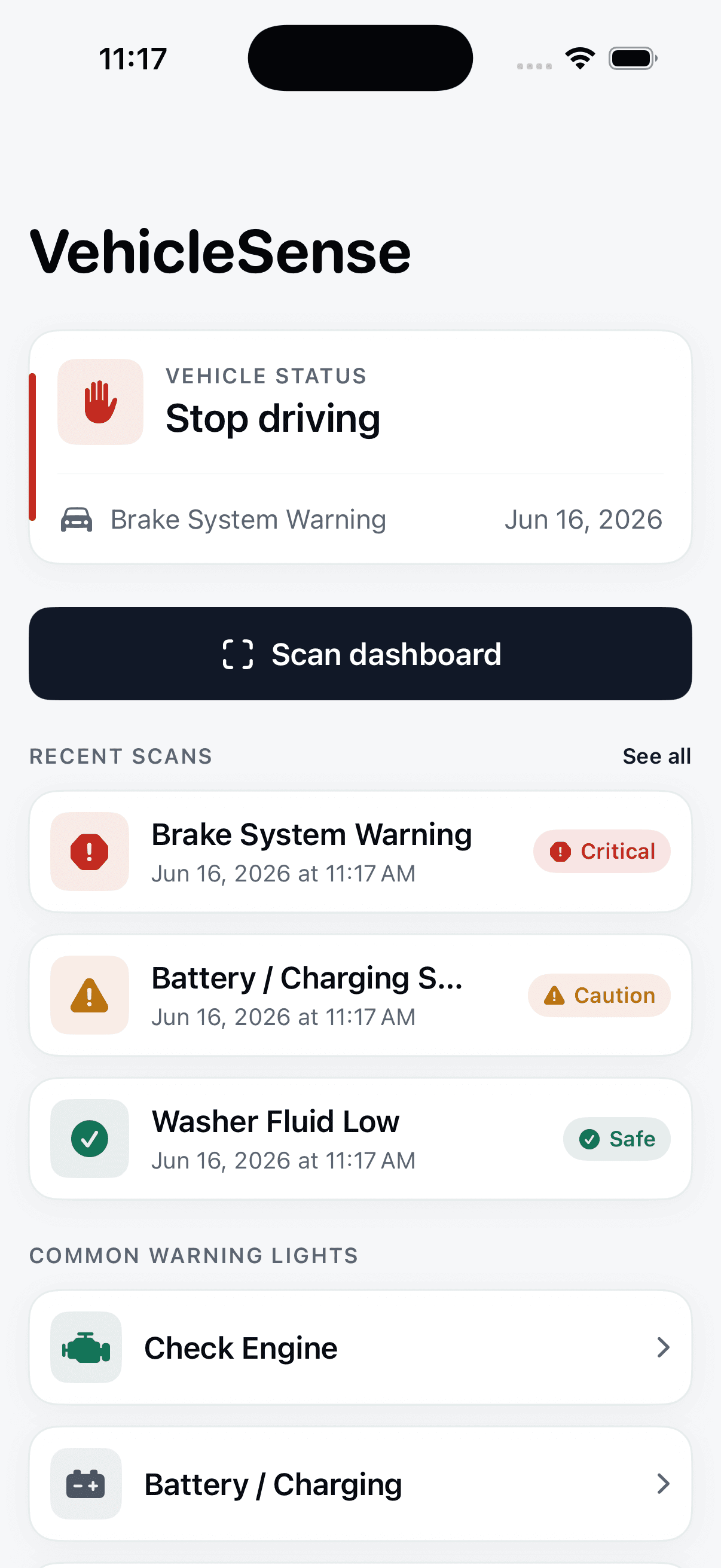
See a clear Safe / Caution / Stop answer, based on real severity.
- 03
Know what to do
Read the likely cause, next steps and a rough repair-cost range.
Everything you need the moment a light appears
The first question, answered first
A straight answer: safe, caution, or stop
Every diagnosis leads with the one thing you actually need to know. We rate real severity honestly, so you know whether to drive on, take care, or pull over.
- Clear Safe / Caution / Stop verdict up front
- Severity rated honestly, never sugar-coated
Plain English, not engine-speak
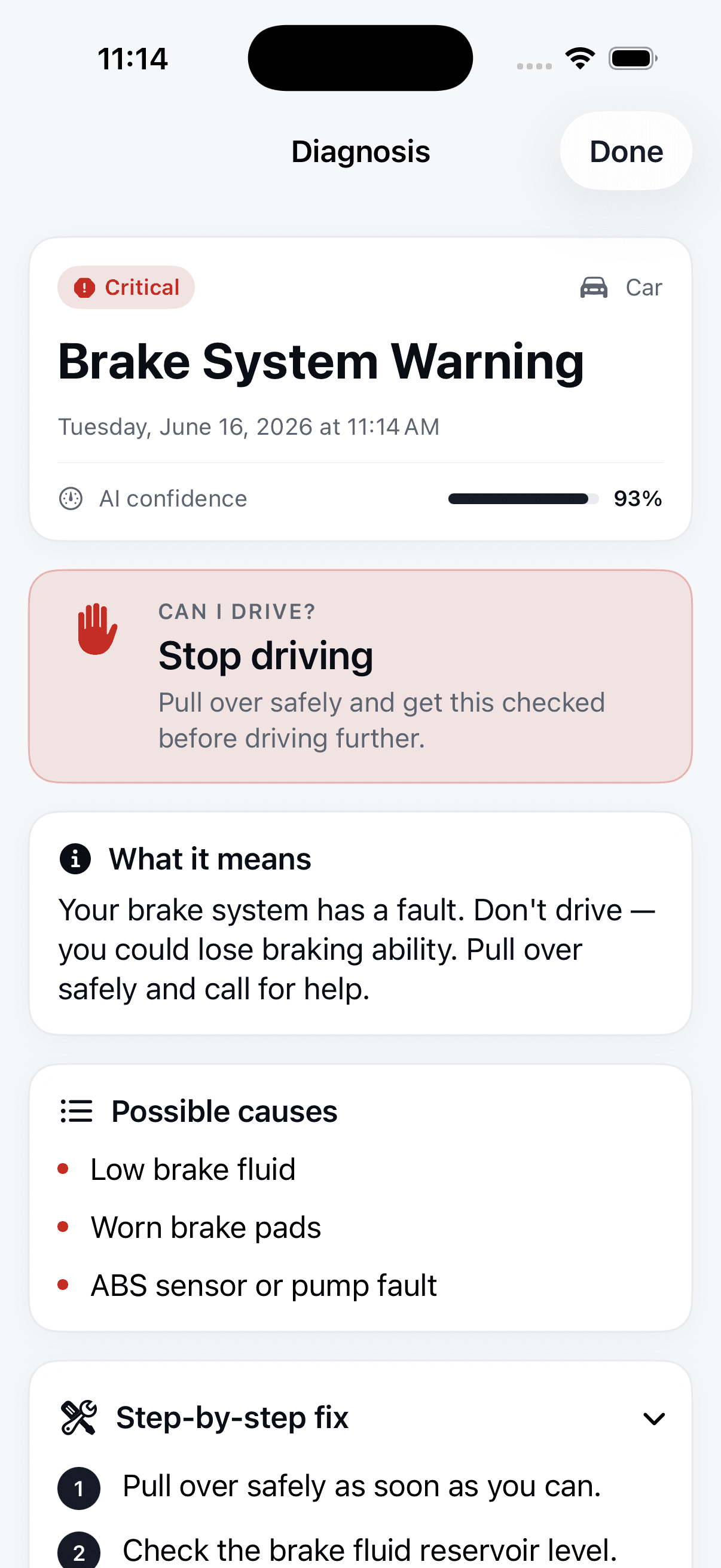
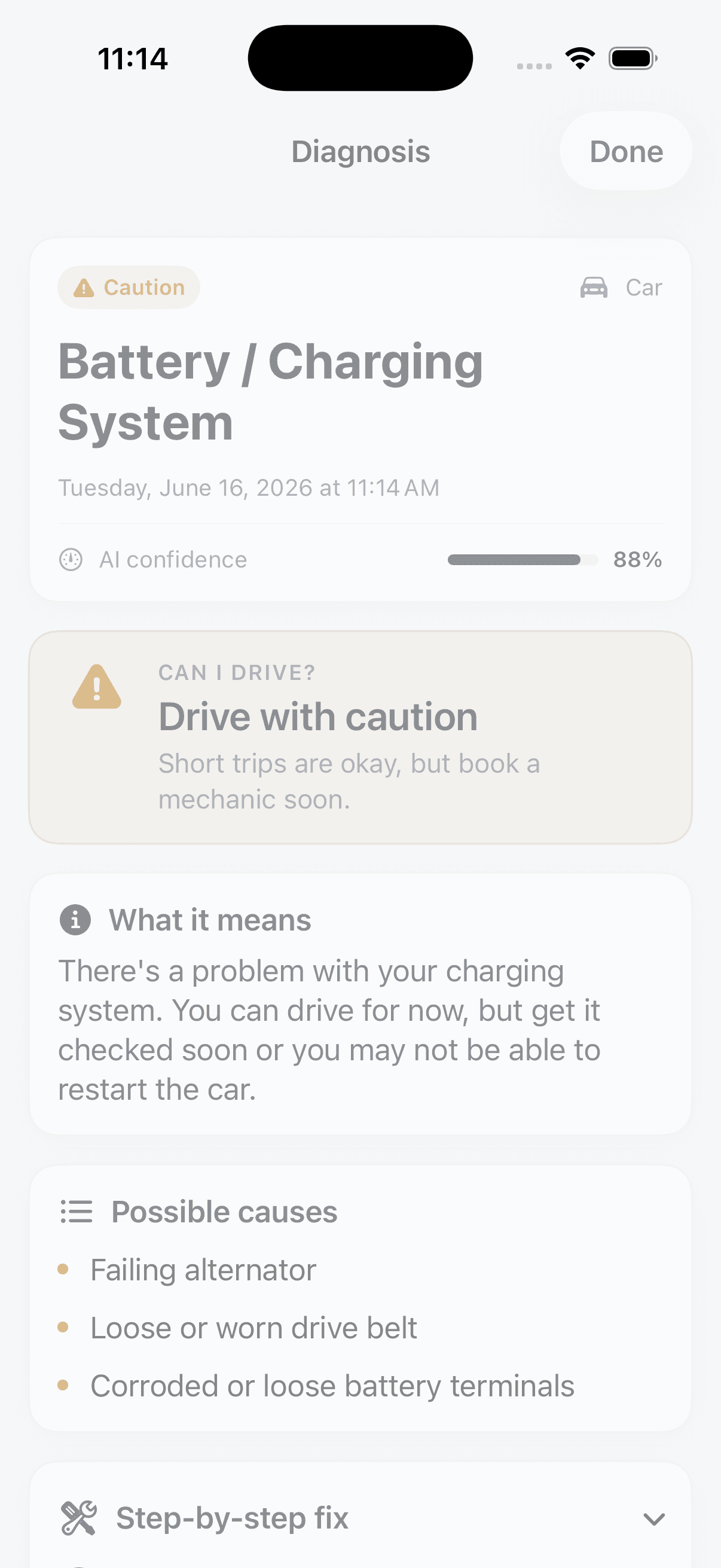
What the light actually means
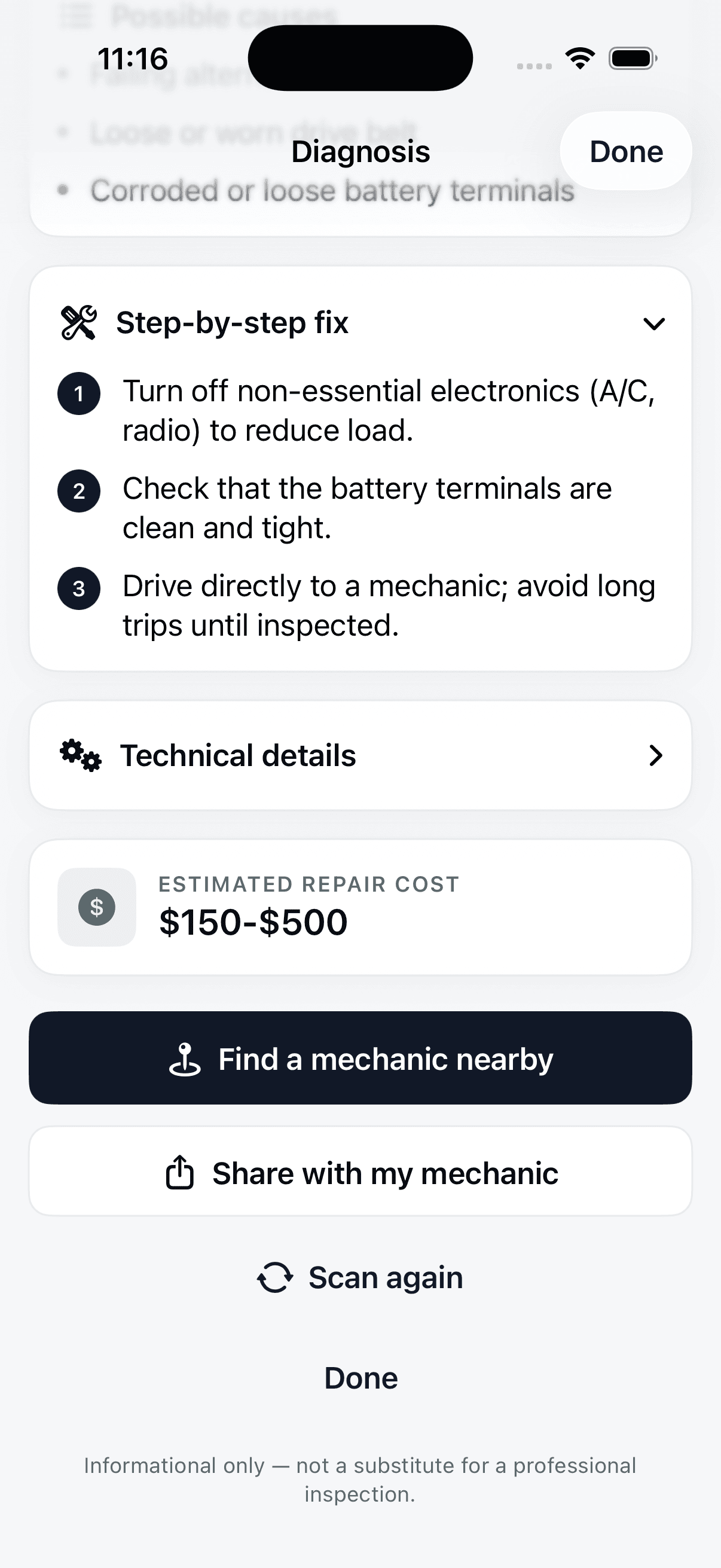
Skip the owner’s-manual jargon. VehicleSense explains the warning in everyday language, with likely causes and step-by-step next actions. Want the depth? Open the technical view.
- Likely causes and what to do next
- Optional technical details for the curious
Tuned to your car
More specific answers for your exact vehicle
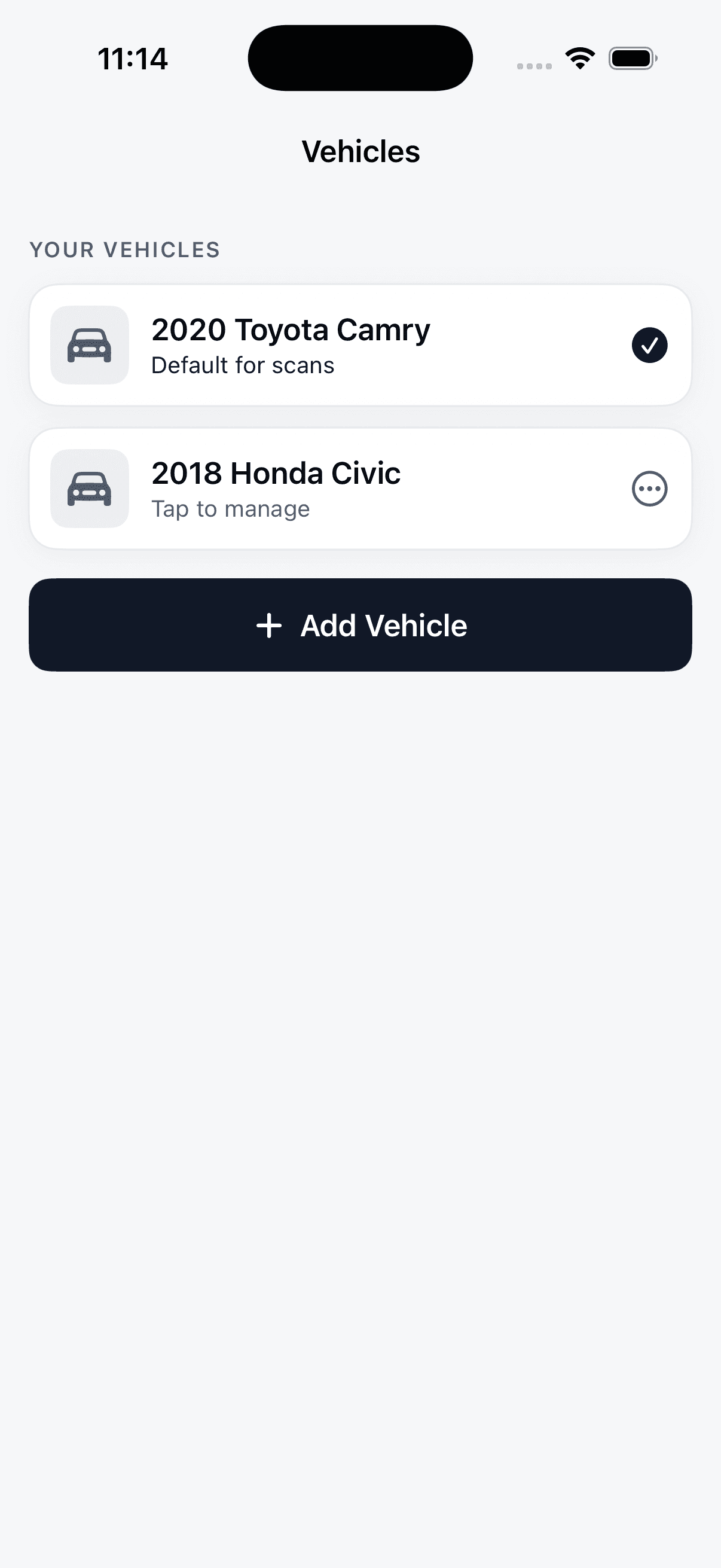
Add your make, model and year and diagnoses get sharper. It’s optional, and guests still get a useful answer, but a profile helps VehicleSense be precise.
- Save multiple vehicles
- Answers tailored to your model
Straight to the people who fix it
Share a diagnosis with your mechanic
Send the full result as plain text: verdict, likely cause and cost range, so the conversation at the garage starts with everyone on the same page.
- One tap to copy or send
- Readable text, no screenshots needed
A record you can revisit
Every scan, saved to your account
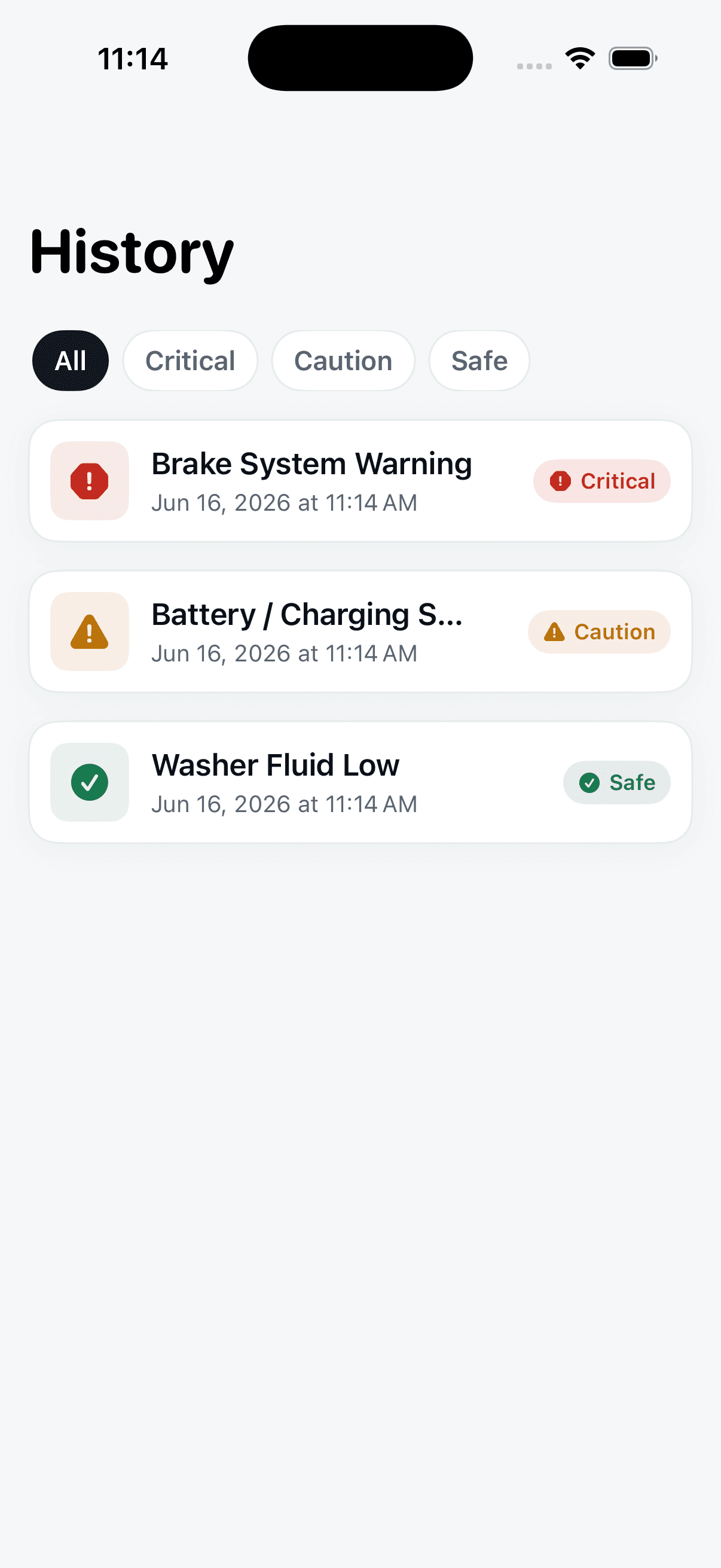
Track issues over time and look back at past warnings. Helpful when a light returns, or when you’re handing the car over to someone else.
- Full history per account
- Revisit any past diagnosis
Confident when it can be. Honest when it can’t.
VehicleSense gives informational guidance, not a professional diagnosis. The best thing it does is know its own limits, and tell you, so you can decide what to do next.
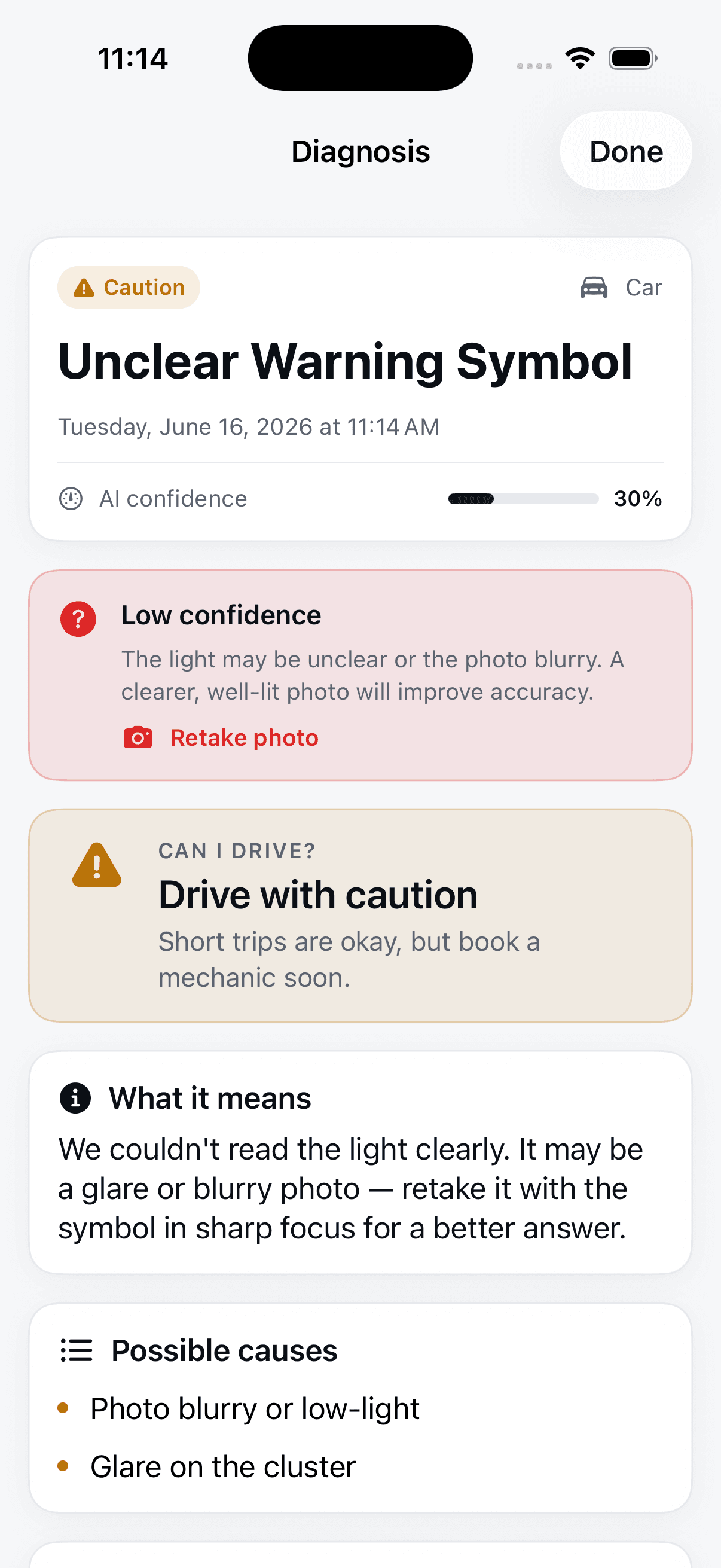
It tells you when it isn’t sure
An honest confidence indicator on every result. No false certainty.
Blurry photo? It asks for a retake
If the light isn’t clear, VehicleSense says so instead of guessing.
Your scans stay yours
History is tied to your account. We don’t sell your vehicle data.
Questions, answered honestly
The things drivers ask us most.
Next time a light comes on, you’ll know what to do
Point, shoot, and get a calm, plain-English answer to the only question that matters: can I keep driving?
Informational guidance only. Not a substitute for a professional inspection.